Introduction
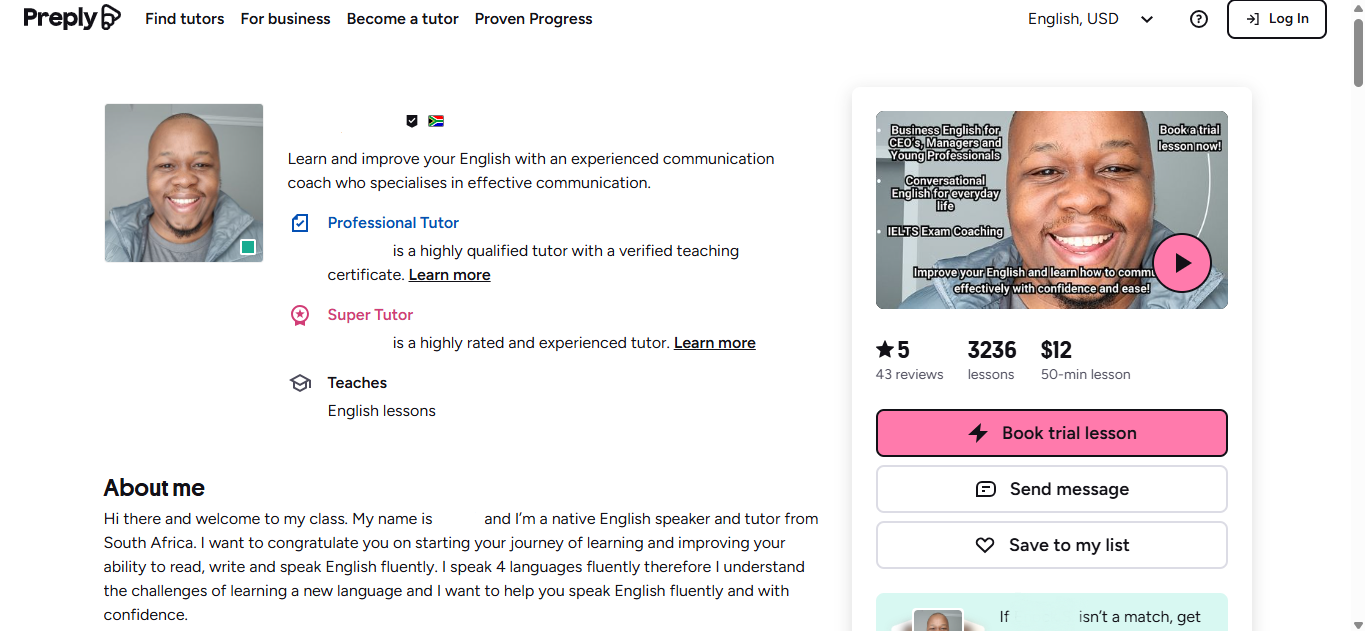
The rejection of your Preply tutor profile can be both frustrating and demotivating. If you have experienced it before or you’re applying for the first time, I’ve got you. These 7 mistakes on your Preply profile description will get your profile rejected but I’ll tell you how to avoid them so that your profile gets approved with no hassle and you can start teaching English online!
1. Including personal information and contact details
Preply prohibits you from including personal information such as your full name and surname in your profile description to protect both your safety and your students’ safety. The platform collects your personal details during registration in the appropriate sections, but these are never visible to the public. Only the name you choose for your profile is allowed in your description. For example you may introduce yourself in the first line and say “Hi, my name is John and welcome to my profile” or “Hi, my name is Dimpho but you can call me Teacher Dee.”

You also should not include your email address/phone number on your profile description. Students will be able to contact you through the Preply platform so outside communication is not necessary. You are also not allowed to share your contact information with students in Preply’s message section. The platform will flag and block your profile. Preply also prohibits adding personal websites and social media handles to your profile description. You should only use your website or social media to advertise and share your Preply profile. This is how Preply protects their business and you would do the same if you were Preply. Here is a recap list of personal information you should not include in your profile description.
-Full name and surname
-Links to personal websites or social media
-Email address/phone numbers/whatsapp/telegram/instagram/linkedin etc.
2. Making reference to competing platforms or brands

You may be tempted to mention that you have experience in other teaching platforms but please resist that temptation. Any platform you have taught in is a competitor to Preply and Preply will never want to advertise them on their platform so don’t mention any of them. Mentioning that you have 1 or 2 years experience teaching online is enough. You also do not need to include reviews in your profile description. Preply allows students you have taught on the platform to write reviews about you. These reviews will be visible on your profile to other potential students looking for a tutor.
3. Using banned words!
The platform automatically rejects profiles that include certain trigger words. For example, even innocent statements like ‘feel free to book a trial lesson’ or ‘feel free to ask any question’ contain the word ‘free,’ which the system reads as offering free lessons or negotiating discounts. I know this sounds silly, but it is one of the most common mistakes responsible for applications being rejected by Preply.

Just to clarify another misconception, Preply does not offer free trial lessons! Preply does not pay you for trial lessons but students are actually charged for them. It’s just that Preply takes 100% commission for them. This often leads to the misconception that tutors offer trial lessons for free which is not the case. So avoid these words above and use synonyms or alternative sentence structures for them.
4. Excessive spelling and grammar mistakes
This will sound obvious and unnecessary to mention however you cannot claim you’re an English tutor when you make silly spelling and grammar mistakes. Even if Preply approves your profile, students won’t trust you to help them with their English needs. Run a spell and grammar check on everything on your profile!
5. Misrepresentation – Lying on your profile description

Lying about your qualification or experience can lead to Preply rejecting your profile. For example, saying you are a certified English tutor but you don’t have a TEFL certificate or any university qualification. Preply is a platform that allows you to register even if you do not have any teaching qualification or experience. However they do have a free “teach a language course” where you can learn everything you need to be able to teach English on the platform. Ultimately, there is no need to lie on your profile description.
6. Plagiarism – copying someone’s profile description

In my coaching program, I always encourage people to review high-performing tutors’ profiles to see what works on Preply and find inspiration. However, copying someone else’s profile description outright is wrong, and if Preply detects it, they may reject your profile. There are a number of AI writing tools which can help you elevate your writing if you don’t feel confident about your draft profile description so use them!
7. Having a messy profile description that repeats itself.
If your description lacks cohesion and structure, Preply may reject your profile, and even if approved, it won’t attract students. Unfortunately, most people don’t realize how their profile will look once approved, so they simply follow the instructions without paying attention to the flow of the description. Below is an example of a messy profile description with unnecessary gaps and has little to no cohesion.
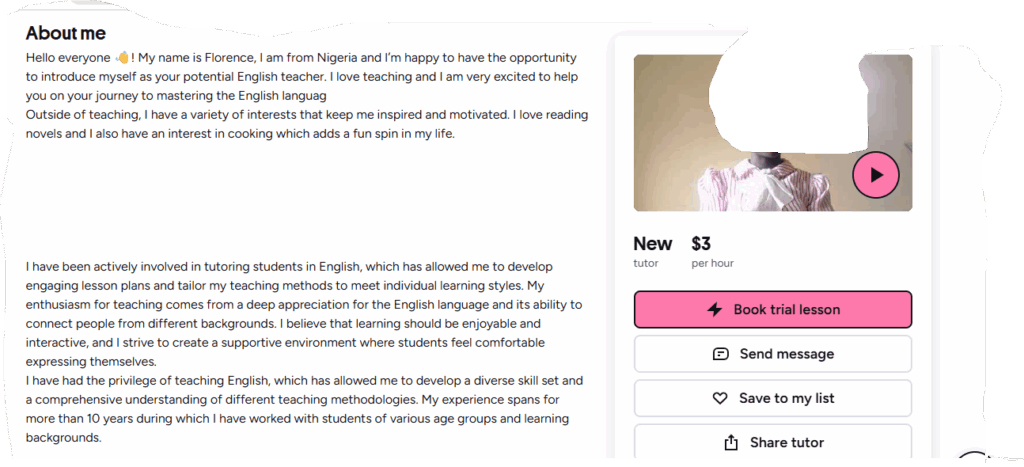
Here is my suggestion, write 3 paragraphs of at least 200 words each and each paragraph should have a topic it covers. Write these paragraphs on a separate document and when you’re happy with the flow, you simply copy and paste them on the 3 sections that Preply provides you during registration. When you paste them, ensure that you have no extra spaces below each paragraph. Do this by making sure that the cursor does not move beyond the full stop when you press the downward arrow of your keyboard. Otherwise, thick spaces will appear between your paragraphs as shown in the picture above. Making the profile description look untidy, and you will only notice it after Preply approves your profile. Below is the result you’ll have if you follow the instructions I have stated above, a well structured, neat and cohesive profile description.
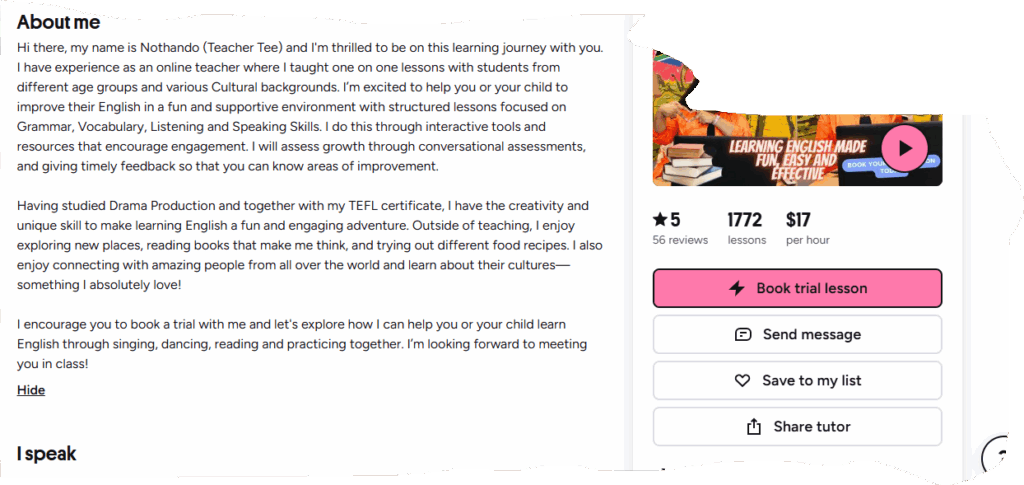
By the way, I coached the person in the picture above on how to structure a winning profile on Preply. If you’d like a guide on how to upgrade your profile description then read this article: How to get approved on Preply step 4: Write a student magnet profile description. Otherwise you can skip all the guesswork and book a profile assessment session by clicking here.